VISOR 1.5.0: one Prism workspace and optional browser access
By Bill Herald
Prepared for VISOR 1.5.0 review
Prism 1.5.0: boards and status in one workspace
I wanted something more useful than another long transcript when working with several AI sessions. A picture, a few notes and a sketch should be able to stay together while the conversation continues.
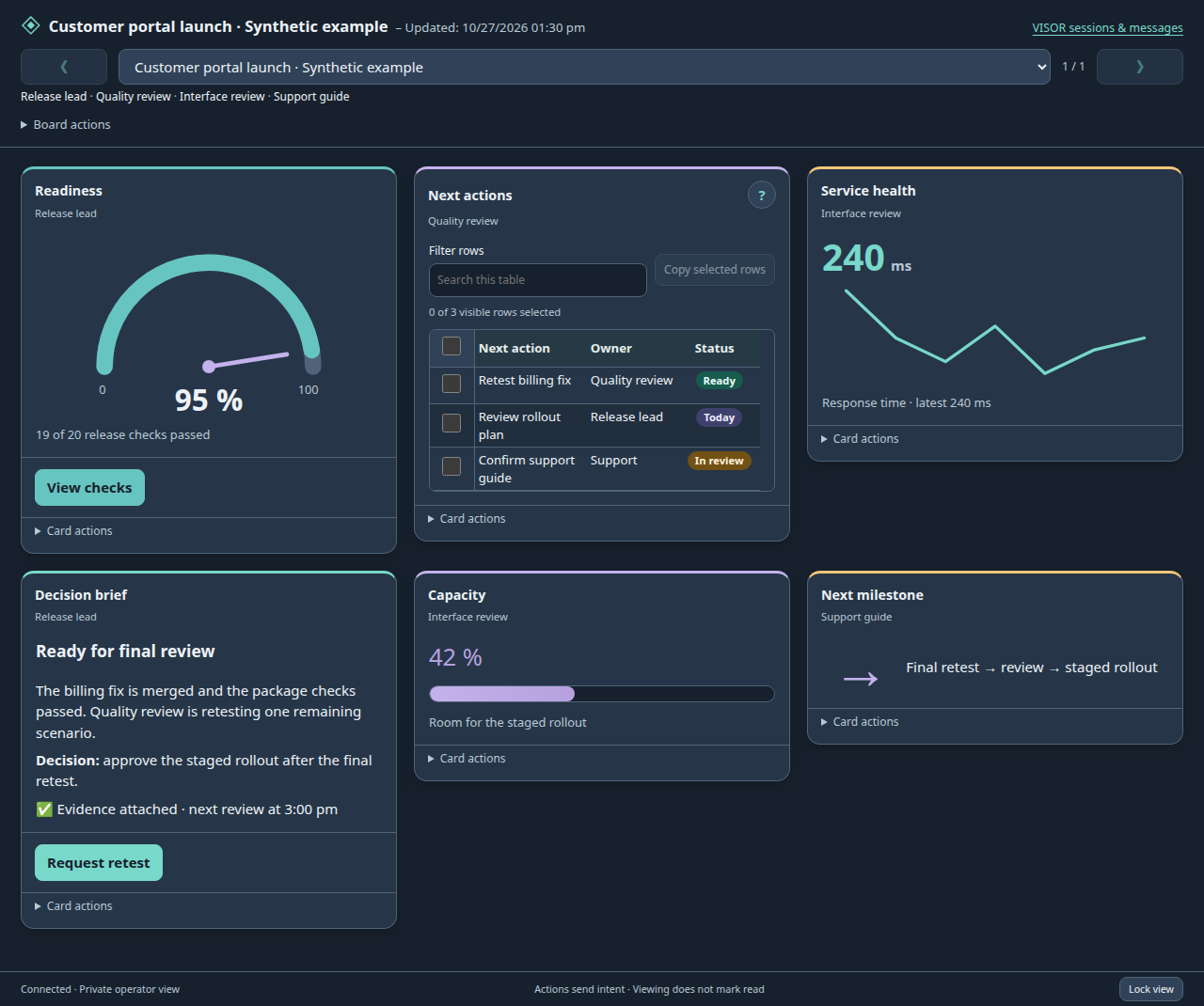
Prism 1.5.0 brings the boards into one resizable desktop control window. I can move between boards, hide one and show it again without juggling separate floating windows. The cards can hold formatted notes, pictures, diagrams, charts, questions and drawings, along with gauges, status indicators, counters and other reusable gadgets. Connected sessions appear by readable name.
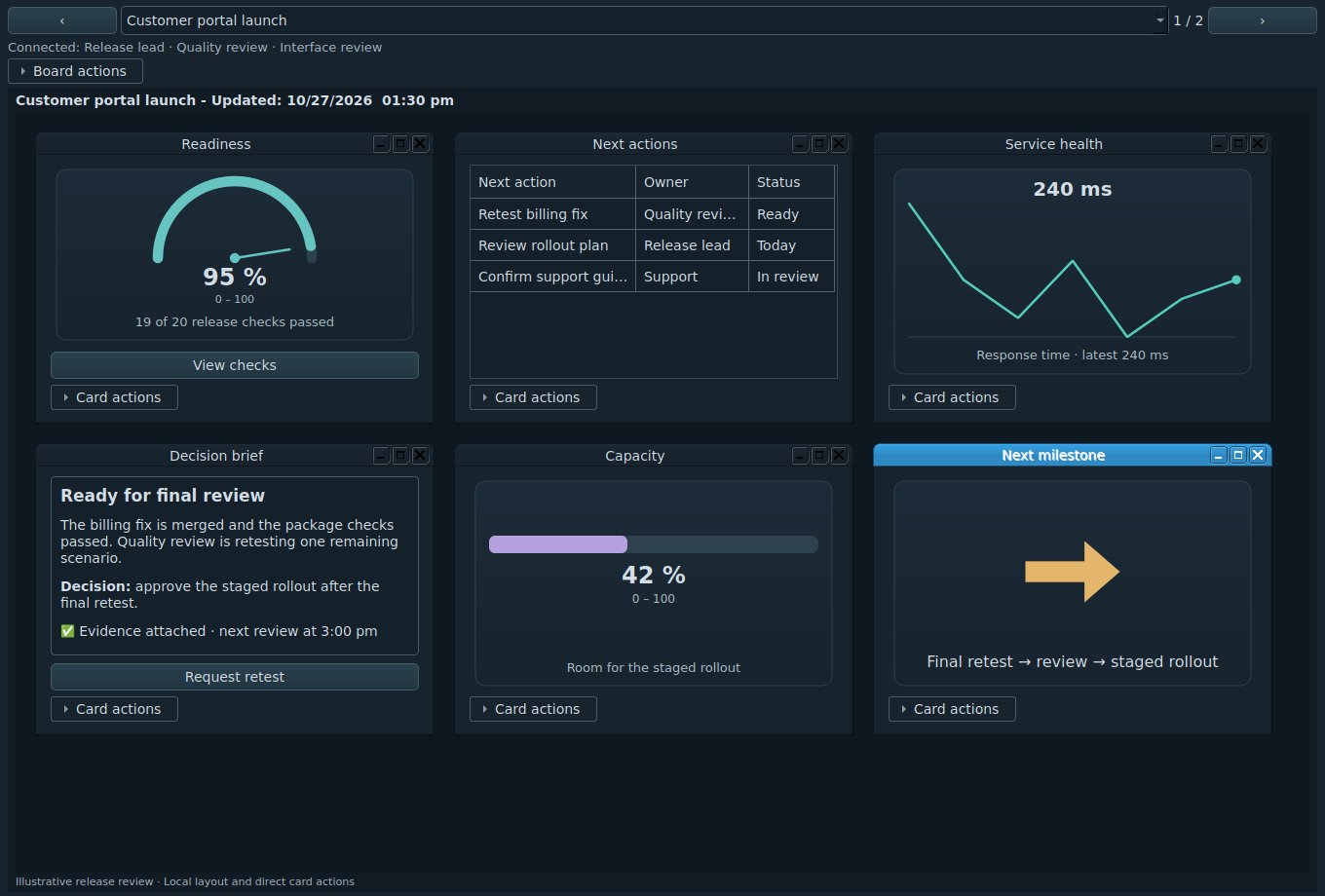
For example, a session can put a proposed plan beside a diagram and ask a question. I can add a note or a sketch in the same workspace. Another connected session can contribute its own cards. The contributors remain identified, and an older update cannot quietly replace newer work.
Sharing must be turned on. Participating sessions need the required connections and board membership. Existing sessions can receive Prism access without restarting. Saved answers go back to the session that asked the question. The reply label changes from saved to read when that session acknowledges it. Reading does not approve an action or mean the work is finished.
The workspace uses muted colors, compact headings and secondary controls that stay closed until needed. Card help explains the details. Loading, empty, error and stale-data labels can identify the source and observation time. Closing a board keeps it dismissed while updates arrive; a request to reopen it waits for my choice.
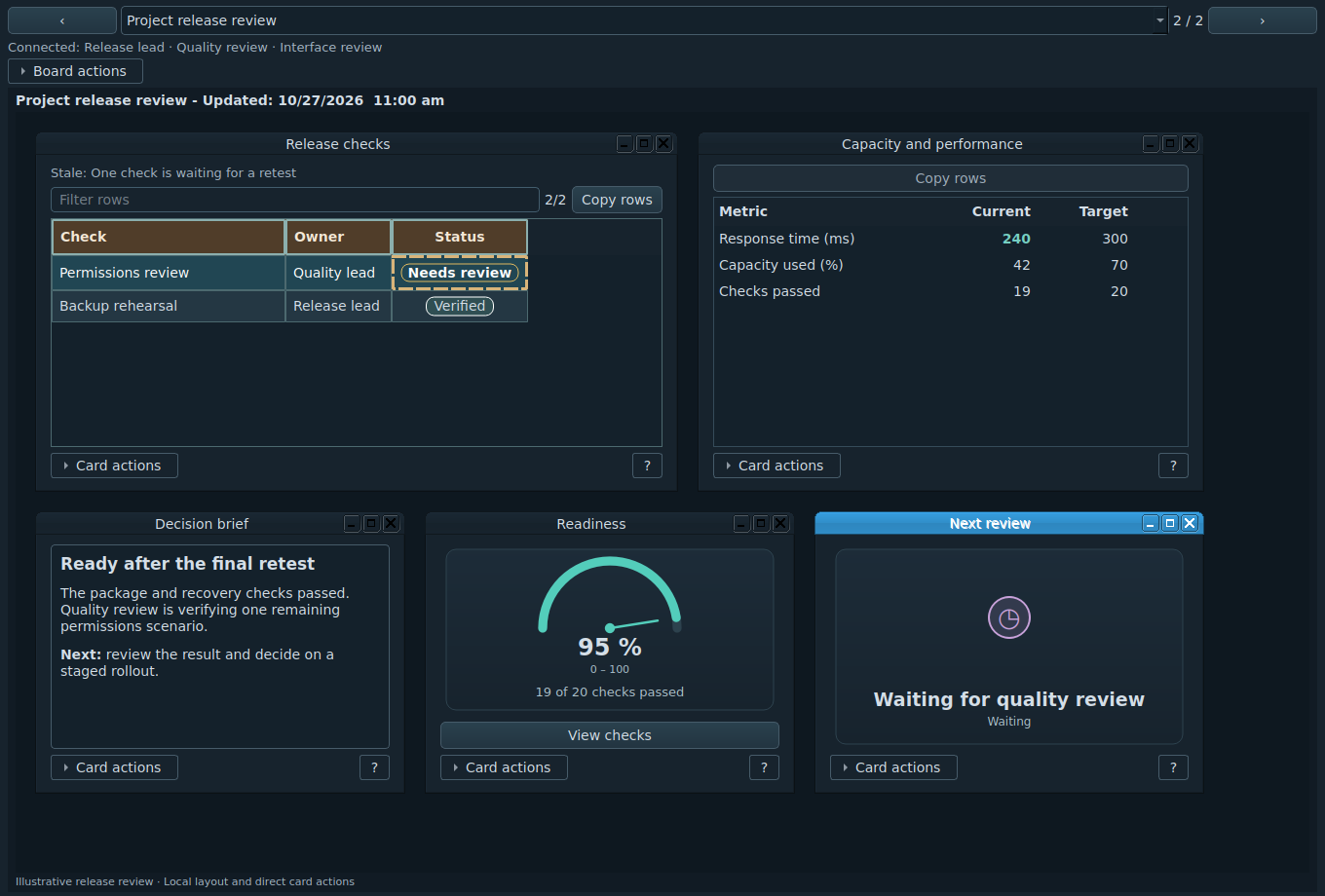
The saved-board manager still separates hiding a view from deleting a board. Neither choice deletes the AI conversation. Tables now support bounded styling, numeric sorting, filtering and copying selected rows. Stable row identities retain local selection through ordinary updates. Agents can discover the available components and authoring checks, use a recipe or compose a freeform board.
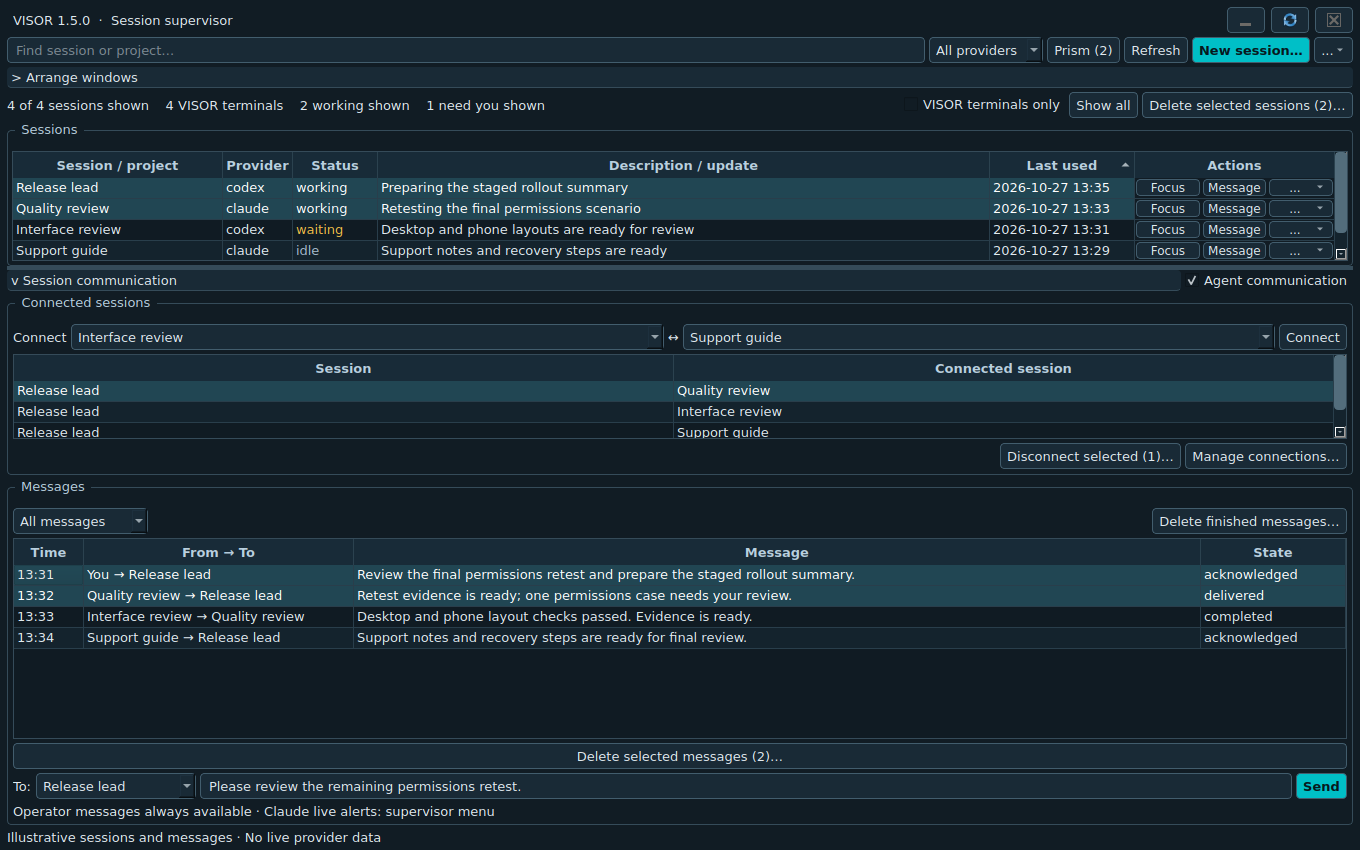
I used Codex to help develop the code, documentation and checks. The local Linux/X11 candidate has package and interface checks, including synthetic native and browser views. Windows and macOS interactive acceptance, live Claude model acceptance, physical phone and tablet checks, and complete accessibility testing remain open. The release notes distinguish the checks completed from acceptance still needed.
If you try it, tell me what helped and what got in the way. A clear defect report, a useful example or a documentation improvement can help guide the next version.
Source and release downloads · Feedback and defects
An optional one-time tip helps offset the cost of hardware, hosting and testing. A tip does not purchase support, access, priority or a deliverable.
Optional browser access
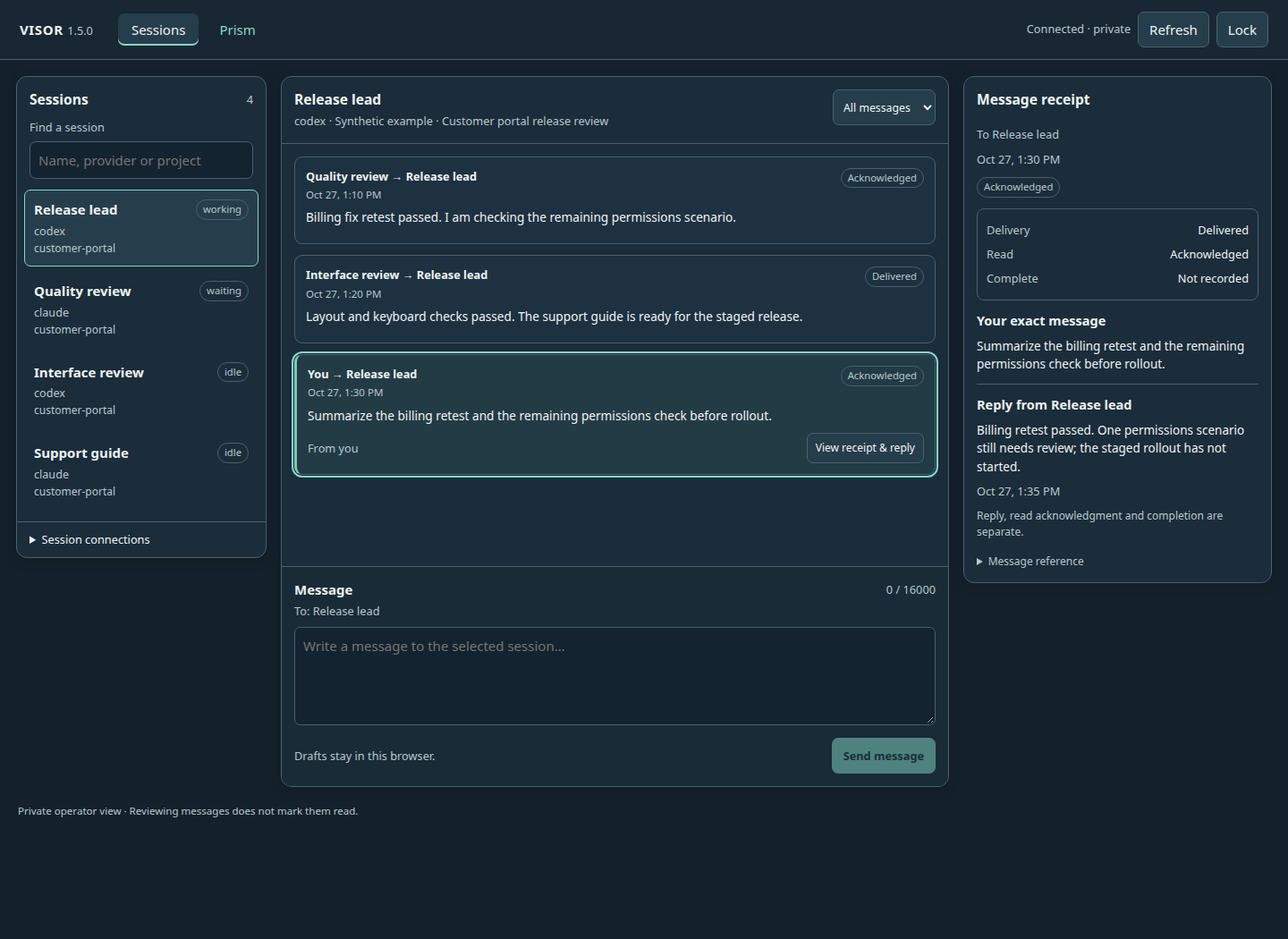
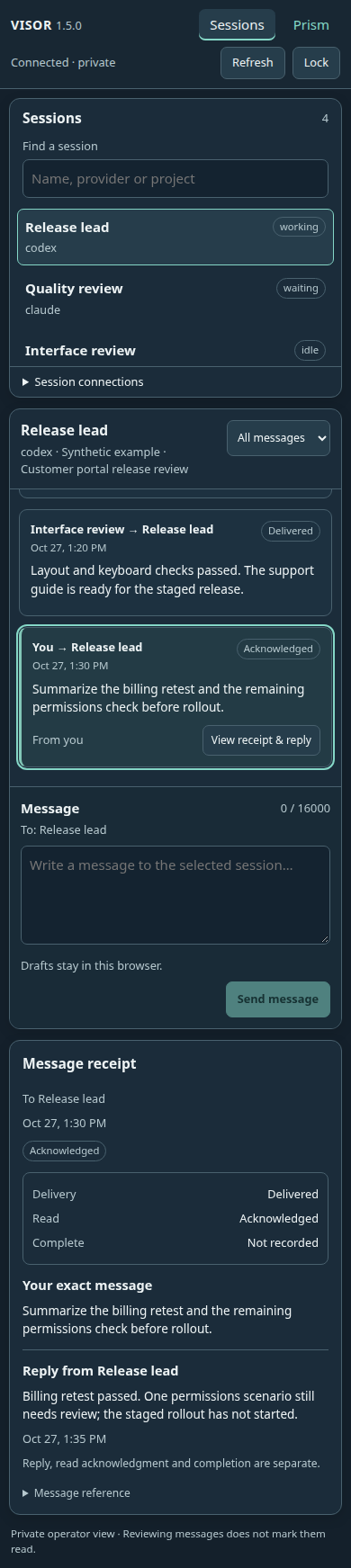
Browser access is optional and off by default. When I start it from VISOR, the private view brings together session status, recent messages, an operator composer, exact receipts and Prism boards. Phone and tablet access uses a responsive browser layout. Remote access needs an explicitly chosen address and a protected network or HTTPS route. The current candidate does not include separate native phone applications. If web access was on when VISOR closed, the next normal start asks whether to start it again; No is the default, and Yes creates a new private link without opening the browser.
Current table and browser views
These are captures of the 1.5.0 interface with illustrative data. Browser layouts are responsive; physical-device acceptance remains open.

Original VISOR beta article — historical context
When several AI sessions are open at once, keeping track of the work becomes a job of its own. One session may be working, another may need an answer, and a third may be ready to resume. Each has its own conversation and project directory. You still need to know which window to open and what remains unfinished.
That is the practical problem I am working on with VISOR, a desktop supervisor for Codex and Claude Code. It brings session information and a few controls into one window while the agents continue to run in their own terminals.
The separate terminals are useful. You can read the conversation, inspect what the agent is doing and respond through the tool you already use. VISOR adds a place to find a session, resume its exact conversation, bring a verified terminal forward and arrange selected windows.
A small problem during development showed why the details matter. Resuming Codex from VISOR selected an older installation, while the regular command line selected the current one. Both versions were on the computer, but the desktop launcher searched for programs in a different order. The correction makes VISOR read the normal shell's program search path on Linux and macOS. That fix was checked against the two installed Codex versions. The Mac implementation still needs to be tried on a Mac.
Communication needs the same care. Sending a message does not tell you whether an agent has read it, and reading it does not mean the work is complete. VISOR keeps delivery, acknowledgment and completion separate. You can send an operator message, and there are controls for allowing selected sessions to exchange messages. Some provider integration work remains, including attaching all peer tools to Codex conversations that are already loaded.
There is also a wrap-up request. It asks an agent to reach a safe stopping point, save context and report what remains. The terminal stays open for inspection. That is useful information, but an acknowledgment alone cannot prove that every background task has stopped. The person supervising the work still has to review the result.
I am sharing VISOR as a beta, with the source under the MIT license. Windows has earlier native build and live Codex checks. Linux has native package checks and tests with disposable terminal windows. Those results cover specific cases; clean-machine, reboot, accessibility and wider desktop testing remain open. Claude Code's integration has automated tests with simulated clients, but live model behavior has not been validated.
macOS is experimental. The Terminal integration and packaging code are prepared, and the build workflow includes Apple silicon and Intel Macs. I do not have a live Mac test result to report. A successful automated build, when available, will still leave Finder launch, permissions and real window behavior to be checked. Windows and Linux beta downloads can move forward independently when their own release checks are complete.
I used Codex to help develop the code, prepare documentation and run automated checks. The test reports describe what those checks actually exercised. They do not replace trying the program on the intended computer.
The source is now available for other people to inspect and help test the gaps. If you already work with several terminal-based AI sessions, I would be interested in which parts of keeping track of them take the most effort. That will help guide the next round of work.
Source and platform notes: https://github.com/bherald/AI-CLI-MANAGER-VISOR